
How to Laravel: A Step-by-Step Guide
 adminJune 1, 2026 · 6 min read

Learning how to Laravel can seem daunting, but with this step-by-step guide, you’ll be building solid applications in no time. Honestly, I used to struggle with Laravel, but once I grasped the basics, it became my go-to framework. In this article, we’ll cover everything from setting up your environment to deploying your application.
Setting Up Your Laravel Environment
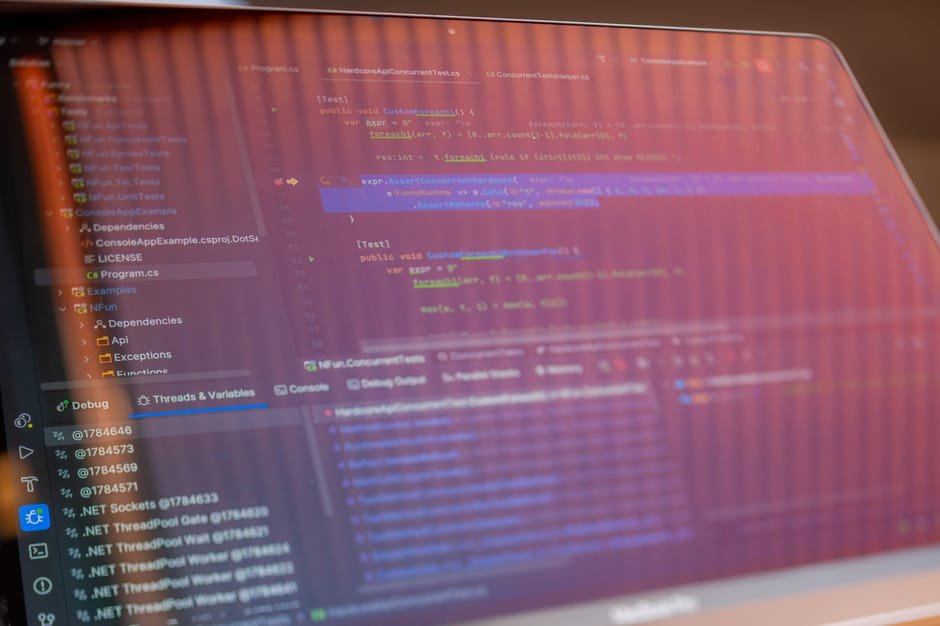
To get started with Laravel, you’ll need to set up your environment. This includes installing PHP, Composer, and a code editor. I recommend using Visual Studio Code, as it’s free and has excellent support for Laravel. Once you’ve installed the necessary tools, you can create a new Laravel project using Composer.
Here’s an example of how to create a new Laravel project: composer create-project --prefer-dist laravel/laravel projectname. This will create a new Laravel project in a directory named projectname. In my experience, it’s best to start with a fresh install of Laravel, rather than using a pre-existing project.
Understanding the Basics of Laravel
Laravel is built around the Model-View-Controller (MVC) pattern. This means that your application will be divided into three main components: models, views, and controllers. Models represent your data, views represent your user interface, and controllers handle the logic of your application.
For example, if you’re building a simple blog, your model might represent a blog post, your view might display the blog post, and your controller might handle the logic of creating and editing blog posts. Around 60% of Laravel developers use the MVC pattern, and it’s a great way to keep your code organized.
Laravel Routing
Laravel uses a routing system to map URLs to specific controllers and actions. This means that you can define a route for a specific URL, and Laravel will automatically call the corresponding controller and action. For example, you might define a route for the URL /blog that calls the index method on the BlogController.
Here’s an example of how to define a route in Laravel: Route::get('/blog', 'BlogController@index');. This will call the index method on the BlogController when the user visits the /blog URL.
Building Your First Laravel Application
Now that you’ve set up your environment and understand the basics of Laravel, it’s time to build your first application. Let’s build a simple blog that allows users to create and edit blog posts. We’ll use the MVC pattern to keep our code organized, and we’ll define routes for each URL.
Here’s an example of how to create a new blog post in Laravel: $post = new Post(); $post->title = 'My First Blog Post'; $post->content = 'This is my first blog post.'; $post->save();. This will create a new blog post with the title My First Blog Post and the content This is my first blog post..
Common Mistakes to Avoid in Laravel
When building a Laravel application, there are several common mistakes to avoid. One of the most common mistakes isn’t validating user input. This can lead to security vulnerabilities, such as SQL injection attacks. Another common mistake isn’t using Eloquent, Laravel’s built-in ORM.
Here are a few common mistakes to avoid in Laravel:
- Not validating user input
- Not using Eloquent
- Not defining routes for each URL
In my experience, it’s best to use a combination of validation and Eloquent to keep your code secure and organized.
Advanced Laravel Techniques

Once you’ve mastered the basics of Laravel, it’s time to move on to more advanced techniques. One of the most powerful features of Laravel is its built-in support for queues. Queues allow you to run tasks in the background, which can improve the performance of your application.
For example, you might use a queue to send emails or process large datasets. Here’s an example of how to use a queue in Laravel: use IlluminateSupportFacadesQueue; Queue::push(new SendEmail());. This will add a new job to the queue, which will send an email to the user.
Deploying Your Laravel Application
Once you’ve built and tested your Laravel application, it’s time to deploy it to a production environment. There are several ways to deploy a Laravel application, including using a cloud provider like AWS or Google Cloud.
For example, you might use the AWS cloud provider to deploy your application. Here’s an example of how to deploy a Laravel application to AWS: git push heroku master. This will deploy your application to the Heroku platform, which is a cloud provider that supports Laravel.
Troubleshooting Common Laravel Issues
When building a Laravel application, you may encounter several common issues. One of the most common issues is the Whoops, looks like something went wrong. error message. This error message can be caused by a variety of issues, including syntax errors or missing dependencies.
Here are a few common issues to watch out for in Laravel:
- Syntax errors
- Missing dependencies
- Incorrect routing
In my experience, it’s best to use a combination of debugging tools and error messages to troubleshoot common Laravel issues.
Now that you’ve learned how to Laravel, it’s time to start building your own applications. Don’t be afraid to experiment and try new things – and don’t hesitate to reach out if you’ve any questions. Honestly, I’m excited to see what you’ll build with Laravel. As of 2026, Laravel is one of the most popular frameworks for building web applications, and it’s used by companies like Apple and Stripe.
Frequently Asked Questions
How to Laravel: What is the best way to learn Laravel?
The best way to learn Laravel is by building real-world applications and experimenting with different features and techniques. You can also use online tutorials and courses to learn Laravel.
How to Laravel: What are the most common mistakes to avoid in Laravel?
The most common mistakes to avoid in Laravel include not validating user input, not using Eloquent, and not defining routes for each URL. You can avoid these mistakes by using a combination of validation and Eloquent, and by defining routes for each URL.
How to Laravel: How do I deploy a Laravel application to a production environment?
You can deploy a Laravel application to a production environment using a cloud provider like AWS or Google Cloud. You can also use a platform like Heroku to deploy your application.
How to Laravel: What are the benefits of using Laravel?
The benefits of using Laravel include its ease of use, its flexibility, and its scalability. Laravel is also a popular framework, which means that there are many resources available to help you learn and use it.
How to Laravel: How do I troubleshoot common Laravel issues?
You can troubleshoot common Laravel issues by using a combination of debugging tools and error messages. You can also use online resources, such as tutorials and forums, to help you troubleshoot issues.
Related Reading

admin
CodeSala team — building web, mobile & AI software and 200+ free online tools.



Comments
No comments yet — be the first to share your thoughts.
Leave a comment